
Getting Ready for online learning
We’ll primarily be using Blackboard (Ultra) Collaborate for studio sessions. The first session will start with an intro to the interface before we get to actual studio stuff, but I’d like you to at least find the interface and make sure you’ll be able to access on Monday. If you’re not familiar with it, basic instructions to finding it below.
In Blackboard Collaborate Ultra we’ll have group meetings (called sessions) that everyone joins. From there we can talk via video, text chat, draw on a whiteboard, and I can give a lecture or ask questions for a (thumb) poll.
All sessions, including the first session on Monday 3/23 will officially start at 2:00pm Chicago-time. I will set them up so you can join any time after 1:30pm. Please join early enough that you have time to get settled and address any connectivity issues before 2:00. I’ll try to get to my computer early as well and can use that time before 2:00 to informally chat as needed. You’re also free to review material or chat with one another.
ACCESS BLACKBOARD
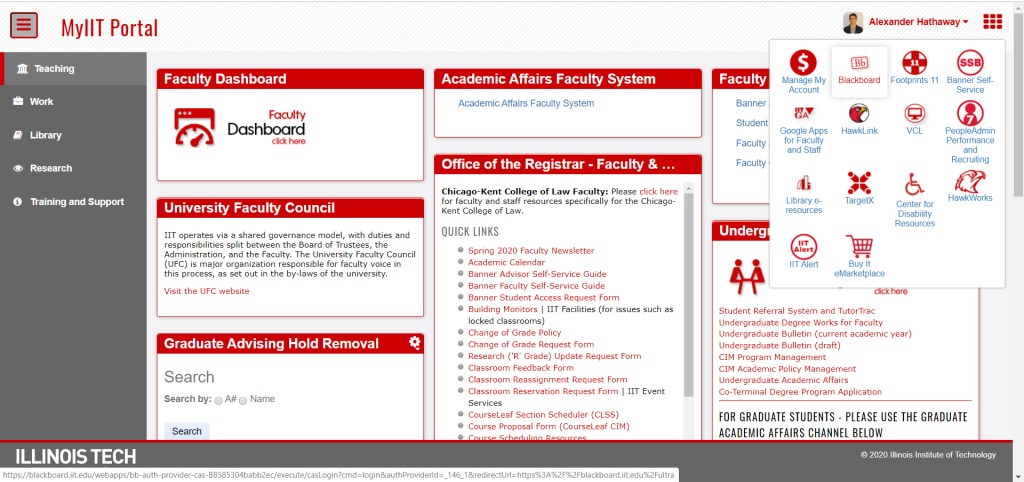
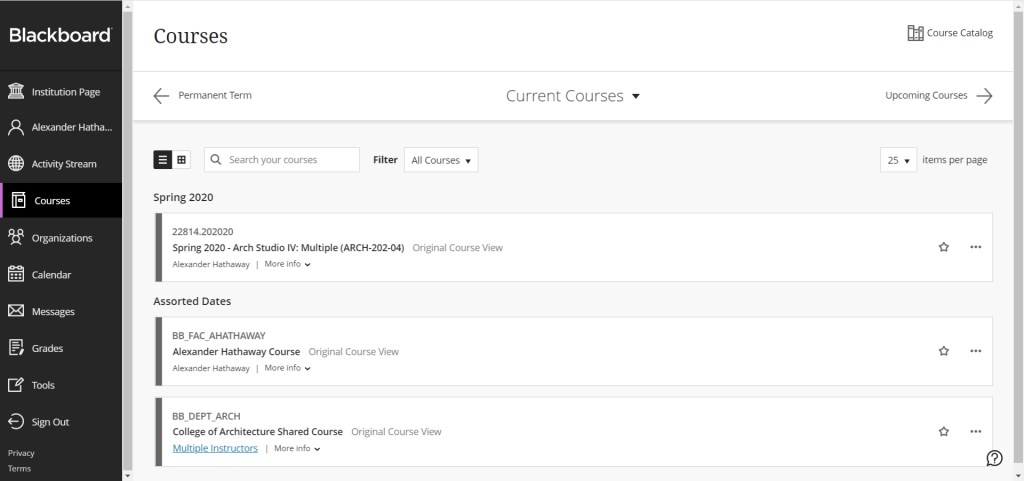
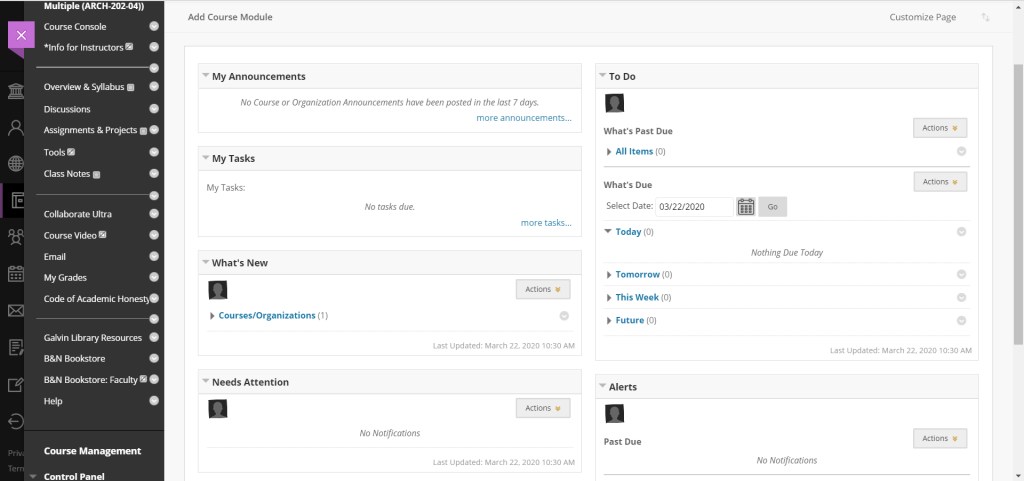
OPEN BLACKBOARD COLLABORATE ULTRA
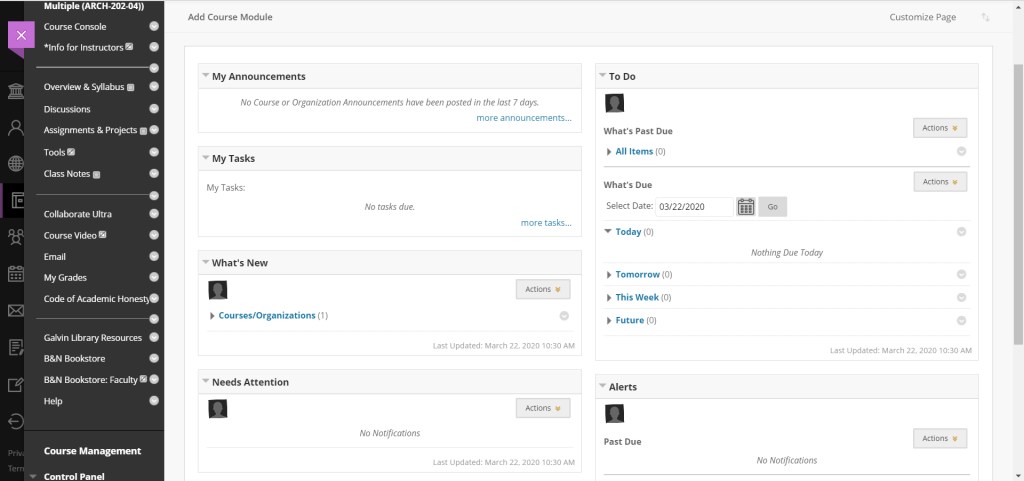
CHOOSE COLLABORATE ULTRA FROM THE BLACKBOARD MENU (LEFT SIDE) IN THE COURSE CONSOLE VIEW FOR OUR STUDIO SECTION 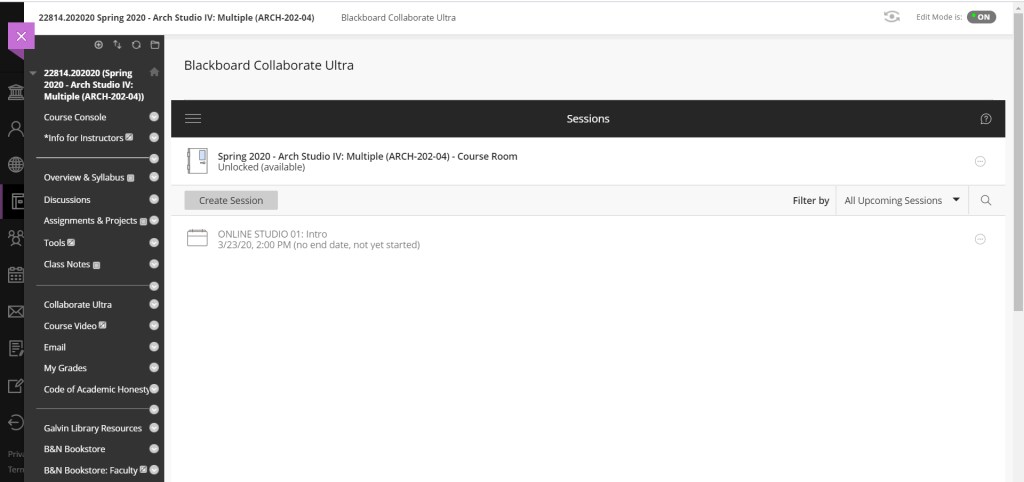
OPENS TO DEFAULT VIEW OF AVAILABLE SESSIONS. (YOU CAN SEE THE FIRST SESSION, ON MONDAY YOU’LL CLICK ON IT TO OPEN) 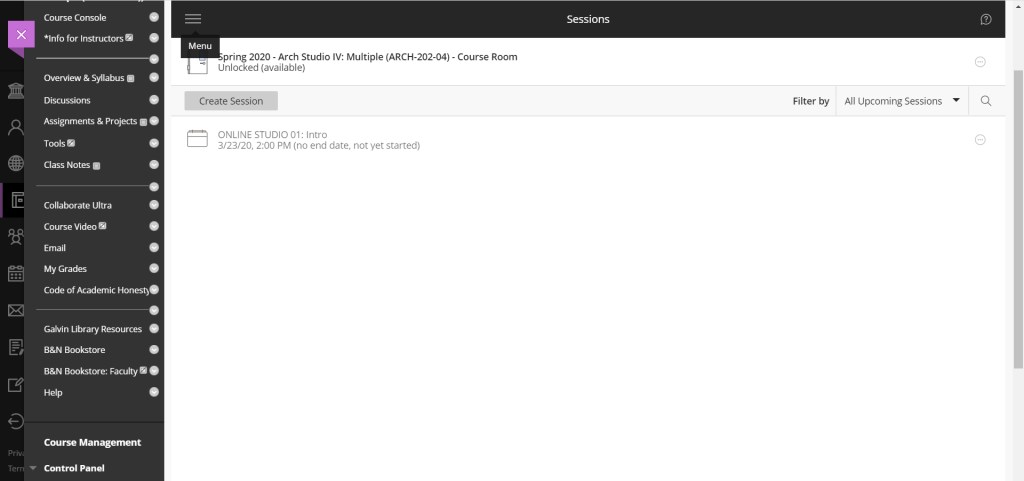
TO ACCESS RECORDINGS OF PRIOR SESSIONS USE THE HAMBURGER MENU AT THE TOP LEFT OF THE SESSIONS HEADER 
IT WILL OPEN THE MENU WHERE YOU CAN CHOOSE BETWEEN PERSONAL SETTING, SESSIONS, AND RECORDINGS
Play through the slideshow above to see how to access sessions, including our first session on Monday 3/23.
For your reference. Help resources for Blackboard Collaborate below.
BLACKBOARD INTERFACE TOUR
Link to see the above video in your web browser:
https://www.youtube.com/watch?v=1W4sGpVmJaY
You can also find more specific tutorials on youtube published by Blackboard Inc.
BLACKBOARD HELP
You can also access the blackboard help website at:
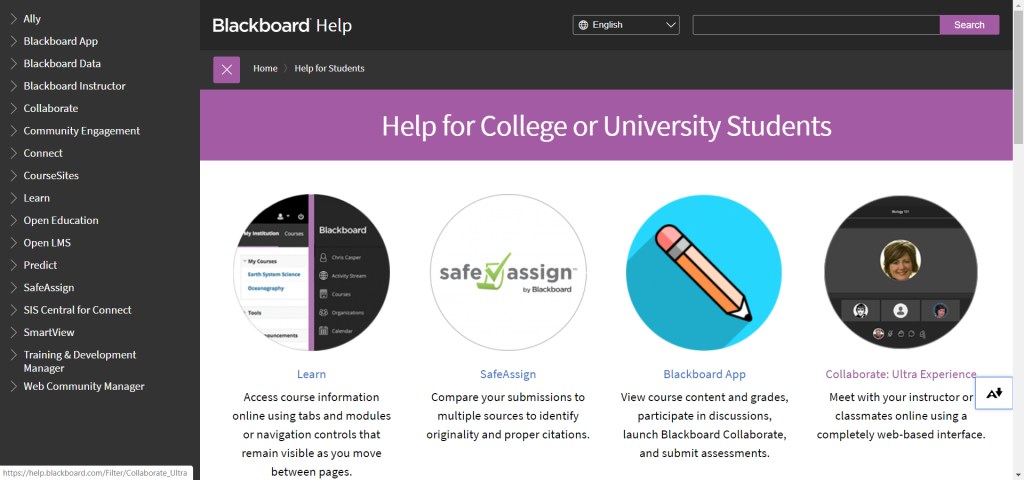
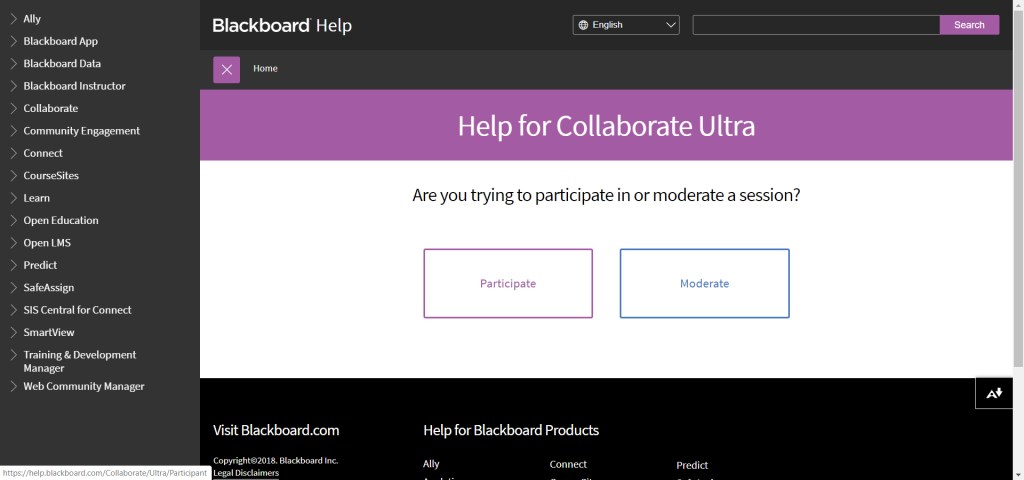
Navigate to the appropriate help section for students per the slideshow below. You can see help topics for regular blackboard, the blackboard app, and blackboard collaborate ultra.
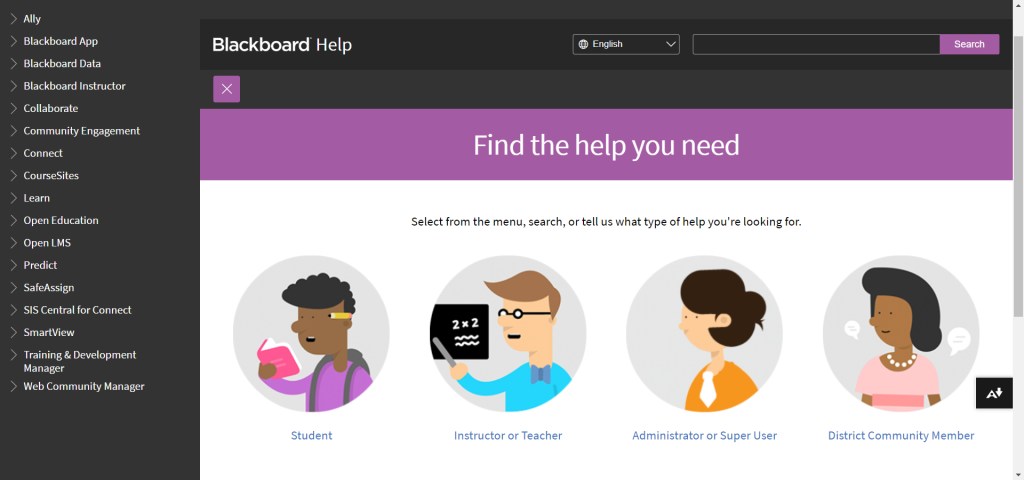
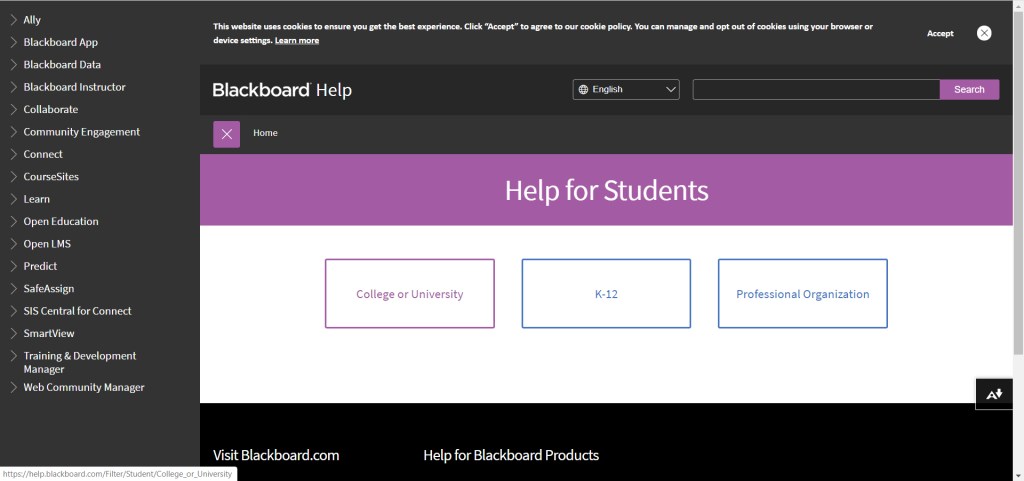
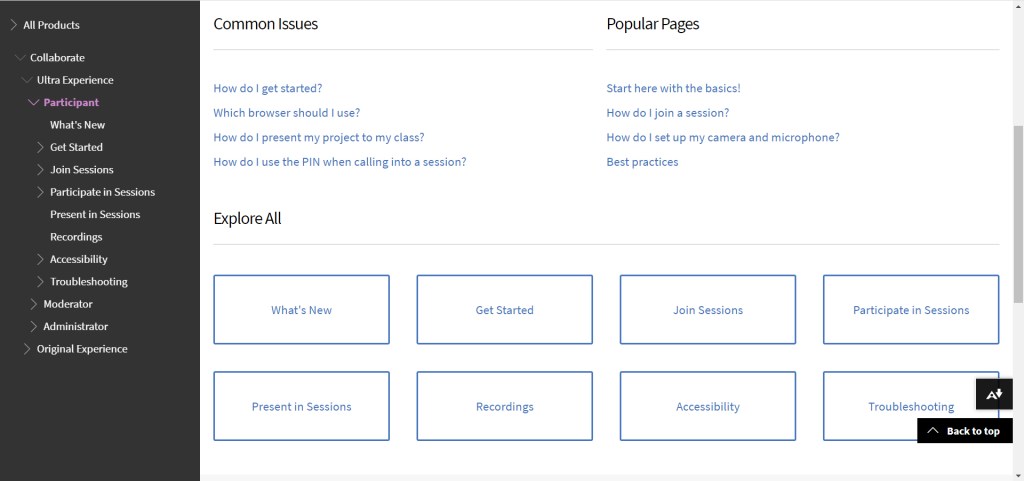
I strongly recommend using your computer with a hardwired or good WiFi connection to the internet for the best Collaborate experience. The help page will show you supported browsers, calling in for audio access (if your connection isn’t working well), and other connectivity issues.
 Hathaway Section - Spring 2020